Why are follow up responses not loading in the Google Sheets extension?
Last updated: January 9, 2025
When setting up the Google Sheets extension follow up responses will not load with the default settings.
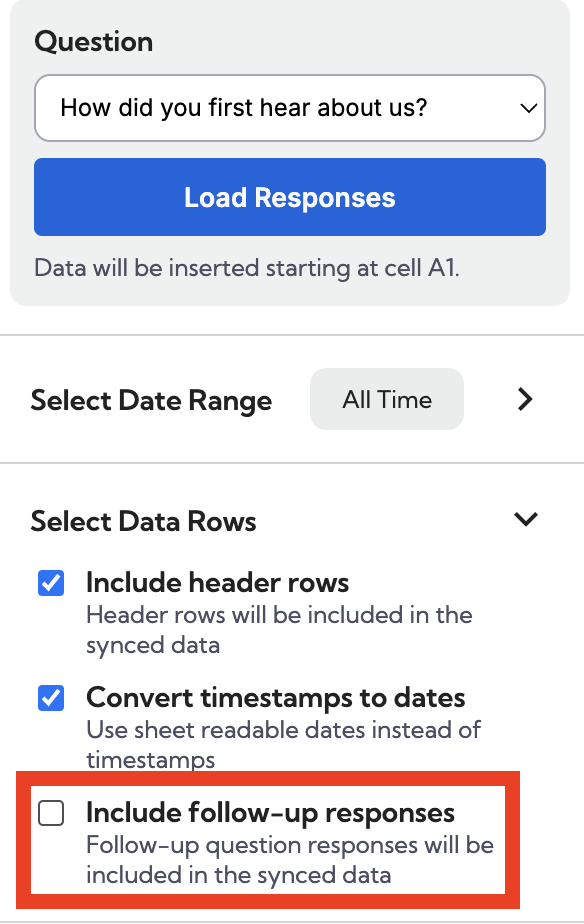
To add follow up responses to your sync:
Open the Fairing extension in your Google Sheet
Once in the extension, click "edit" under the question you would like to add follow up responses to
Once you are in the question editor, click the "Select Data Rows" dropdown and check the "include follow-up responses" box.
Once the follow up box is selected all follow up responses will load automatically with each new sync.